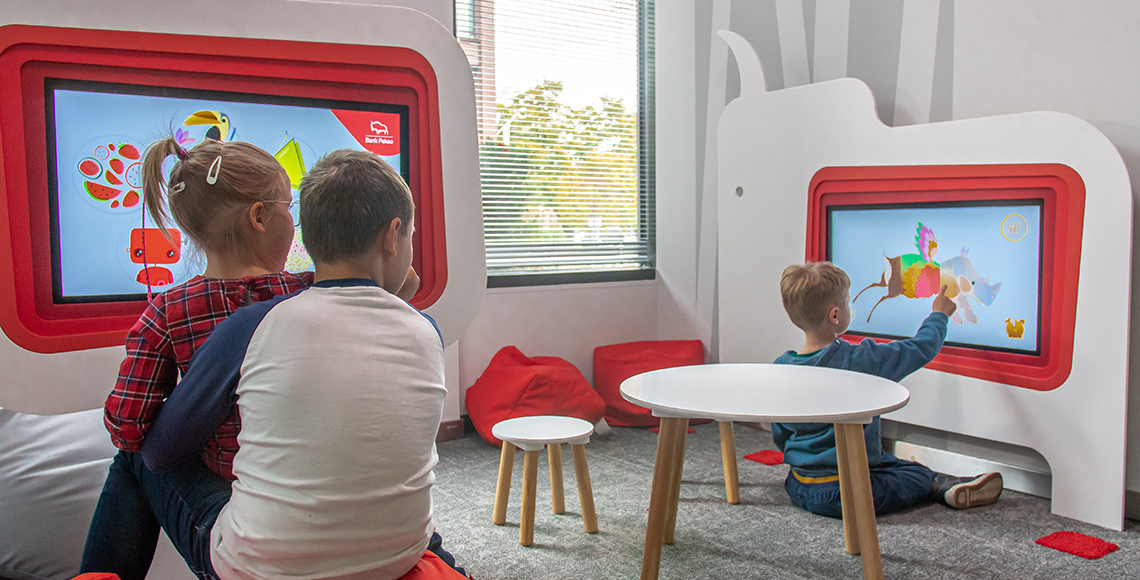
Museums and visitor attractions are no longer limited to display cases, information boards and conventional video screens.
Today, digital technology can allow visitors to touch, move, create, compete and become part of the story being presented.
For museums, science centres, heritage attractions, aquariums, wildlife parks and children's museums, interactive exhibits can provide new ways to communicate information while making the visitor experience more participatory.
A projected floor can become an ocean ecosystem. A sandbox can demonstrate changing landscapes. A touchscreen table can allow several visitors to explore information together, while projection mapping can transform an entire room around a historical or educational theme.
The important question is not simply whether to add technology.
It is:
What type of interaction will make the subject more interesting to your visitors?
Here are 12 interactive exhibit ideas that can help museums and visitor attractions create more engaging physical spaces.
1. Turn the Floor Into an Interactive Exhibit
Floor space is often treated simply as the route visitors use to move between exhibits.
Interactive projection can make that space part of the exhibition.
An Interactive Floor uses projection and movement detection to create digital environments that respond when visitors walk, jump or move across them.
In a museum, an interactive floor could be themed around:
- Ocean environments
- Wildlife habitats
- Space exploration
- Historical maps
- Archaeological discoveries
- Geography
- Weather systems
- Educational games
Imagine children entering an ocean exhibition and seeing virtual fish move around their feet.
A natural history attraction could create a prehistoric landscape, while a science centre could use movement-based challenges to explain different concepts.
Interactive365's Interactive Floor is available in different configurations and can support multiple users, making it suitable for group participation.
2. Create an Augmented Reality Landscape
Some educational concepts are easier to understand when visitors can physically manipulate them.
An Interactive Sandbox with Augmented Reality combines real sand with digital projection and depth sensing.
When visitors move the sand, the projected environment changes with it.
This can make the AR sandbox particularly useful for exhibits involving:
- Geography
- Landscapes
- Rivers
- Mountains
- Oceans
- Environmental science
- Topography
- Natural habitats
Instead of simply looking at a diagram showing mountains and valleys, visitors can build them themselves.
The physical and digital layers work together, turning an abstract subject into something visitors can explore through touch.
3. Let Visitors Explore Information Together With a Touch Table
Traditional museum touchscreen displays are often designed for one person.
An Interactive Touch Table creates a shared touchscreen environment where several visitors can gather around the same display.
Interactive365 currently offers 32-inch and 43-inch touch tables suitable for educational and entertainment applications.
Museums could use interactive touch tables for:
- Digital maps
- Timelines
- Archive photographs
- Historical records
- Puzzles
- Educational games
- Object collections
- Interactive quizzes
- Multimedia content
- Children's learning activities
A history museum, for example, could allow visitors to explore how a city changed over several centuries.
A wildlife attraction could let children match animals with habitats.
A transport museum could create an interactive timeline showing how vehicles developed.
The horizontal format can also make the activity feel more collaborative than a conventional wall-mounted touchscreen.
4. Bring Children's Artwork Into the Exhibition
Children's museums and family attractions can make visitors part of the creative process.
With Digital Sketch Interactive Draw Alive, children can colour physical drawings before scanning them into an animated digital environment.
Their creation then becomes part of the projected scene.
For example, an aquarium-themed attraction could allow children to design their own fish.
After scanning the picture, the fish could appear inside a virtual underwater environment alongside creations from other visitors.
A dinosaur exhibition could use prehistoric creatures.
A transport exhibition could use cars or aircraft.
A space exhibition could let children design rockets or planets.
This approach turns the visitor from an observer into a contributor.
Rather than every child seeing exactly the same animation, each session produces something personal.
5. Create a Large-Scale Digital Art Wall
Another creative option is an Interactive Digital Painting Wall.
Large-format interactive walls can provide an alternative to conventional touchscreen displays, particularly for younger audiences.
Instead of interacting with a small tablet, children participate in an activity that occupies a much larger part of the environment.
This could work well in:
- Children's museums
- Art galleries
- Family discovery zones
- Creative learning areas
- Museum activity rooms
- Waiting areas
- Temporary exhibitions
A museum could theme the digital painting experience around the exhibition currently taking place.
An art museum might encourage children to experiment with colours.
A natural history museum could use animals and plants.
A science centre could create space or technology-themed imagery.
The exhibit can therefore support the broader story of the venue rather than functioning as an unrelated game.
6. Turn a Museum Wall Into a Physical Game
Some museums want exhibits that encourage physical participation as well as learning.
An Interactive Ball Strike Wall combines a large projected wall with physical ball throwing.
Instead of touching a screen, visitors interact with projected targets using real balls.
The concept can be adapted for educational themes.
For example:
Space museum: Hit incoming asteroids.
Wildlife attraction: Match animals to their habitats.
Sports museum: Complete accuracy challenges.
Science centre: Target different elements or objects.
History attraction: Complete a themed challenge connected to the exhibition.
Because the activity combines physical movement with digital feedback, it can introduce a high-energy element into an otherwise observation-heavy visitor journey.
7. Add an Interactive Climbing Challenge
Museums and science centres with larger activity areas could incorporate physical climbing into an educational experience.
An Interactive Climbing Wall uses projected content to add games and challenges to a climbing surface.
The climbing activity could potentially be themed around a larger exhibition concept.
Visitors might:
- Climb a virtual mountain
- Complete a space mission
- Follow an animal's journey
- Collect projected objects
- Avoid virtual obstacles
- Solve challenges while climbing
For children's museums and active-learning centres, this type of exhibit can connect digital interaction with coordination and physical activity.
Instead of separating educational technology from active play, both can become part of the same experience.
8. Transform a Slide Into a Digital Journey
Slides are familiar to children, but projection technology can give the activity a completely different visual identity.
An Interactive Digital Slide adds projected digital effects to a physical sliding experience.
For museums and attractions with children's activity areas, the slide could become part of the exhibition theme.
A child might slide:
- Through space
- Into the ocean
- Down a snowy mountain
- Through a rainforest
- Into a prehistoric landscape
- Through a fantasy world
The physical activity remains simple and familiar, but the digital content connects it to the surrounding environment.
This can work particularly well when a museum wants to create a dedicated family discovery zone rather than placing interactive screens throughout a conventional gallery.
9. Use Motion to Create a Virtual Journey
An Interactive Digital Swing combines physical swinging with a responsive digital landscape.
The visitor's movement becomes part of the experience.
For attractions, this could create the sensation of travelling through different environments.
Potential themes could include:
- Flying across mountains
- Travelling through space
- Moving above an ocean
- Exploring a city
- Flying through a historical landscape
This makes the concept particularly interesting for attractions built around exploration and storytelling.
Instead of controlling the experience using buttons or a joystick, the visitor's physical movement becomes the input.
10. Add Competitive Augmented Reality
Museums do not have to be completely serious environments.
Competition can provide an enjoyable break between more information-heavy exhibits.
Augmented Reality Air Hockey combines conventional physical air hockey with digital projection.
For family-focused museums and visitor attractions, competitive games can help diversify the visitor experience.
They may be particularly useful in:
- Family activity areas
- Museum cafés
- Entrance or exit zones
- Children's galleries
- Science centres
- Entertainment areas within larger attractions
Digital content can help the familiar game feel more connected to a modern interactive environment.
11. Introduce Movement-Based Challenges
Not every interactive exhibit needs a large installation.
Motion-based games can create compact activity points within larger venues.
Jumplings is a high-energy motion-based jumping game designed around physical participation.
This type of technology can be useful when museums want to add short, energetic activities between slower exhibition areas.
Similarly, the iWall interactive fitness wall can provide movement-based digital challenges.
These technologies may suit:
- Sports museums
- Children's museums
- Science centres
- Family entertainment zones
- Health and fitness exhibitions
- Interactive learning spaces
For a science exhibition focused on the human body, for example, movement-based technology could become part of an activity exploring coordination, reaction or physical performance.
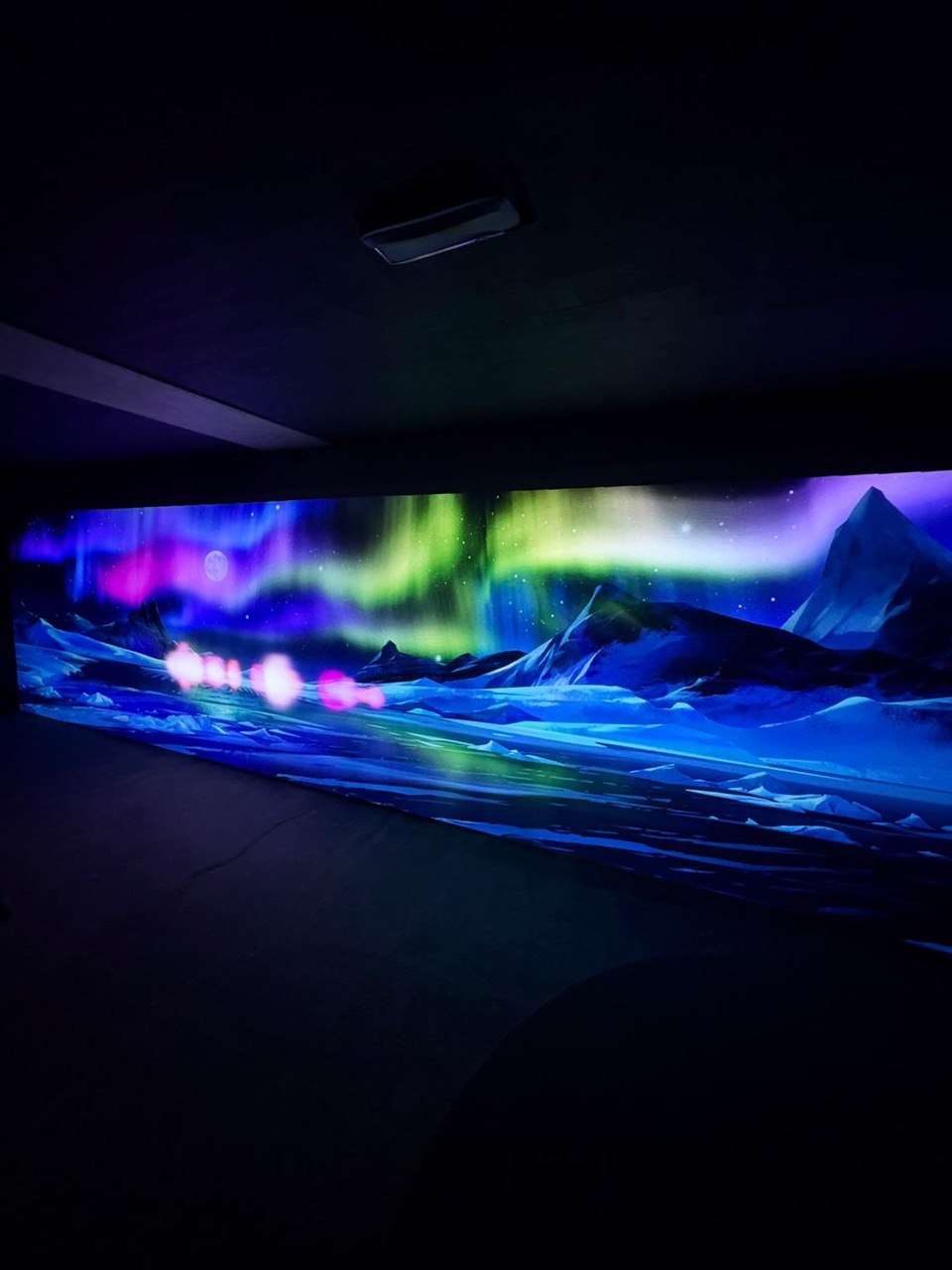
12. Transform an Entire Room With Projection Mapping
Individual interactive exhibits can be effective, but sometimes the environment itself should tell the story.
Projection mapping can transform walls, floors, objects and architectural surfaces using digital visuals designed specifically for the physical space.
Instead of placing visitors in front of a screen, museums can surround them with the content.
An immersive room could transport visitors:
- Underwater
- Into space
- Into a historical city
- Through a rainforest
- Inside a famous artwork
- Into a prehistoric landscape
- Through different seasons
- Across a changing natural environment
Projection mapping can also be combined with sensors to make elements of the environment respond to visitor movement.
This creates opportunities for museums to move from digital displays toward fully immersive storytelling.
Use Interactive Technology to Explain Difficult Concepts
Some museum subjects are difficult to communicate through text alone.
Consider concepts such as:
- Climate change
- Geography
- Space
- Engineering
- Physics
- Ecosystems
- Human movement
- Archaeology
- Historical change
Interactive content can allow visitors to experiment with information instead.
For example, instead of reading about changing landscapes, visitors could physically reshape terrain in an augmented reality sandbox.
Instead of reading how an ecosystem works, children could interact with animals and habitats through a projected environment.
Instead of looking at a static historical map, visitors could use a touchscreen table to move through different periods.
Interaction can turn abstract information into something visitors can explore.
Develop Custom Content Around Your Collection
Ready-made games can work well for general entertainment areas, but museums often need content related directly to their collections.
Interactive365 provides interactive content creation for bespoke digital experiences.
Custom museum content might include:
- Historical characters
- Local landmarks
- Archive imagery
- Museum objects
- Educational games
- 3D models
- Custom animations
- Interactive timelines
- Augmented reality
- Exhibition-specific characters
- Branded visual environments
A custom installation gives the museum greater control over the educational message.
It can also help the technology remain relevant to the institution rather than feeling like a generic attraction added to the gallery.
Start With the Concept, Not the Equipment
A common mistake when planning an interactive exhibition is starting with a piece of technology and then deciding what to do with it.
A better process begins with the visitor experience.
Ask:
- Who will use the exhibit?
- What should visitors learn or discover?
- What should they physically do?
- How many people should participate together?
- How much space is available?
- Is the experience educational, entertaining or both?
- Does the exhibit need customised content?
- How will it fit into the wider exhibition journey?
Interactive365's creative concepts for interactive experiences can help develop an initial idea around the audience, environment, theme and available project budget.
Starting with the visitor experience helps ensure that the technology serves a clear purpose.
Consider Ready-to-Go Interactive Products
Not every museum project requires entirely bespoke development.
For family activity areas, temporary exhibitions or smaller projects, ready-to-go interactive solutions can provide an alternative.
Existing interactive products can be particularly useful when:
- The venue needs a faster deployment
- Bespoke development is unnecessary
- The experience is primarily recreational
- Multiple games are preferred
- The venue wants established hardware and software
A museum could also combine ready-to-go products with one or two custom exhibits to balance project costs and originality.
Plan Installation and Maintenance Early
Interactive museum technology often requires several components to work together.
Depending on the installation, this could include:
- Projectors
- Touchscreens
- Sensors
- Computers
- Cameras
- Audio equipment
- Physical structures
- Networking
- Software
- Mounting hardware
These elements should be considered during exhibition planning rather than after the physical space has already been completed.
Professional interactive equipment installation and maintenance can help with equipment setup, calibration, integration and ongoing technical support.
For permanent museum exhibits, maintenance is particularly important because installations may operate for many hours every day.
FAQ
What is an interactive museum exhibit?
An interactive museum exhibit allows visitors to actively participate rather than only observe. Interaction can involve touch, movement, drawing, physical objects, augmented reality, projection or digital games.
What technology can museums use to create interactive exhibits?
Museums can use touchscreens, interactive floors, projection mapping, augmented reality, motion sensors, interactive walls, touch tables and custom digital content.
What are good interactive exhibit ideas for children?
Interactive floors, AR sandboxes, Digital Sketch, digital painting walls and touch tables are useful options for creating visual and participatory experiences for younger visitors.
Can interactive exhibits be educational?
Yes. Interactive technology can be designed around educational content such as history, geography, science, nature, art and mathematics.
Can museums customise interactive games?
Yes. Bespoke interactive content can incorporate museum collections, branding, educational objectives, characters, archive materials, stories and exhibition themes.
What is projection mapping in a museum?
Projection mapping uses projectors and specially designed digital content to place visuals onto walls, floors, objects or architectural surfaces. It can transform part of a museum into an immersive environment.
Are interactive exhibits suitable for small museums?
Yes. Smaller installations such as touch tables, digital drawing systems or compact projected experiences can provide interaction without requiring a large exhibition area.
Can several people use an interactive exhibit together?
Yes. Products such as touch tables, interactive floors and projected wall experiences can support collaborative or multi-user participation, depending on the installation.
Do interactive museum exhibits require maintenance?
Most digital installations require some level of maintenance. Projectors, computers, sensors, touchscreens and software may need cleaning, calibration, updates or servicing over time.
Whether you are developing a children's museum, science centre, heritage attraction, wildlife park or family discovery space, Interactive365 offers a range of interactive products, interactive content creation, projection mapping services and bespoke creative solutions for immersive visitor experiences.
Contact Interactive365 to discuss ideas for your next interactive exhibition or visitor attraction.