Learning does not always have to happen while children are sitting at a desk.
Digital technology is creating new opportunities for schools, nurseries, museums and educational environments to combine learning with movement, creativity, exploration and collaboration.
Instead of simply watching a screen, children can step onto a projected floor, reshape a digital landscape with real sand, create drawings that come alive, solve challenges through physical movement or work together around an interactive touch table.
This approach can turn technology from something children passively consume into something they actively use.
Interactive365 provides a range of interactive digital products that can be used to create engaging educational, creative and movement-based spaces.
Here are 10 ways interactive learning technology can create more participatory learning experiences.
What Is Interactive Learning Technology?
Interactive learning technology is digital equipment or software that responds to the actions of the learner.
Interaction may happen through:
- Touch
- Movement
- Drawing
- Jumping
- Climbing
- Throwing
- Building
- Exploring
- Collaboration
- Problem-solving
Unlike a conventional screen that mainly presents information, interactive educational technology allows the learner to influence what happens.
For example, an interactive floor can react when a child steps on a projected object, while an augmented reality sandbox changes its digital landscape as children physically reshape the sand.
This creates an environment where learning can involve both thinking and doing.
1. Turn Movement Into Part of the Learning Experience
Physical movement and digital learning do not need to be separate activities.
An Interactive Floor can transform open floor space into an area where children participate in games and challenges using whole-body movement.
Instead of controlling a game with a mouse or keyboard, children can move around the projected area.
Activities can involve:
- Stepping
- Running
- Jumping
- Following visual instructions
- Finding objects
- Responding quickly
- Participating in team challenges
This can make interactive floors particularly useful when educators want to combine physical activity with digital engagement.
A lesson could potentially incorporate numbers, colours, shapes, movement instructions or problem-solving activities.
Interactive floor technology can also encourage several children to participate together rather than requiring everyone to use an individual device.
2. Make Geography and Landscapes Interactive
Some concepts are easier to understand when children can physically explore them.
An Interactive Sandbox with Augmented Reality combines real sand, depth detection and digital projection.
When children reshape the sand, the projected environment changes to reflect differences in height and terrain.
Instead of simply looking at a picture of a landscape, children can build one.
The activity can encourage exploration of ideas related to:
- Mountains
- Valleys
- Water
- Landscapes
- Topography
- Natural environments
- Geography
- Cause and effect
Interactive365's sandbox currently offers a range of different digital scenarios and can also support customised animations.
This combination of tactile and digital interaction gives children the opportunity to experiment and immediately see how the projected environment responds.
3. Turn Drawing Into Digital Storytelling
Drawing is already a familiar learning and creative activity.
Interactive technology can extend what happens after the picture has been completed.
With Digital Sketch Interactive Draw Alive, children colour a physical template before scanning their artwork.
The drawing then appears as part of an animated digital environment.
This creates a simple interactive journey:
Choose → Colour → Scan → Watch → Interact
The experience could be incorporated into themes involving:
- Animals
- Oceans
- Transport
- Space
- Nature
- Fantasy
- Storytelling
Children can see that their individual creative choices affect the final result.
One child might colour an animal completely differently from another, meaning each participant contributes something unique to the shared digital environment.
For schools and educational spaces, this can help connect traditional art activities with interactive digital experiences.
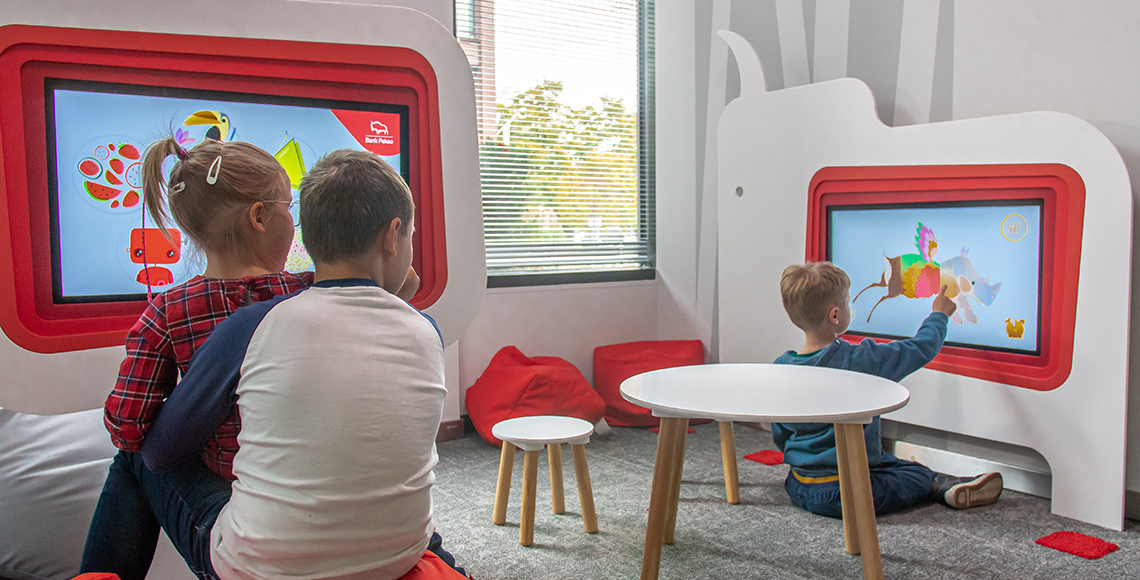
4. Create Collaborative Learning Around a Touch Table
Many digital devices are designed around individual use.
An Interactive Touch Table takes a different approach by providing a larger horizontal touchscreen that children can gather around.
Interactive365 offers both 32-inch and 43-inch touch table options suitable for settings including schools and play centres.
Touch tables can support activities such as:
- Puzzles
- Matching games
- Educational applications
- Digital drawing
- Multimedia content
- Group challenges
- Problem-solving
- Collaborative games
The shared format can be particularly useful when the objective is to encourage children to communicate and work together.
Instead of each child looking at a separate tablet, several users can interact around the same digital surface.
This can turn screen-based learning into a more social activity.
5. Use Interactive Walls for Creative Learning
A touchscreen is not the only surface that can become interactive.
An Interactive Digital Painting Wall creates a much larger creative environment.
Children can interact with colourful projected characters and digital content using oversized painting tools.
The larger format can make the experience feel more physical than drawing on a conventional tablet.
This type of interactive wall could complement lessons involving:
- Colour recognition
- Art
- Creative expression
- Animals
- Visual storytelling
- Group participation
It can also provide a different level of activity compared with traditional classroom screens.
Children are able to stand, move and interact with a larger surface while remaining involved in a creative task.
6. Add Problem-Solving to Physical Activity
Movement-based learning can involve more than simply being active.
It can also require children to make decisions while moving.
An Interactive Climbing Wall combines physical climbing with projected digital games and challenges.
Instead of climbing only from one point to another, participants can respond to digital content while they move.
The experience can encourage skills such as:
- Coordination
- Decision-making
- Reaction
- Concentration
- Movement planning
- Persistence
This type of installation can be useful in environments looking to connect physical activity with game-based challenges.
Rather than separating digital play from exercise, the physical movement becomes part of the digital experience.
7. Make Coordination Games More Interactive
Throwing games can also become digitally responsive.
An Interactive Ball Strike Wall allows children to throw physical balls at projected objects and targets.
The system recognises interaction with the projected content and responds accordingly.
Activities of this type can introduce:
- Accuracy challenges
- Reaction games
- Team activities
- Competitive scoring
- Movement-based problem-solving
Educational content could also potentially be themed around a particular lesson or subject when custom content is required.
For example, children might need to identify the correct number, colour, shape, animal or object before hitting the corresponding target.
The combination of thinking and physical action can provide a different learning experience from answering questions on a worksheet.
8. Use Jumping Games to Encourage Active Participation
Some children naturally engage more when they can move.
Jumplings is a motion-based jumping game designed around energetic physical participation.
Games centred on jumping and reaction can create opportunities for:
- Whole-body movement
- Coordination
- Competition
- Quick decision-making
- Active group participation
Movement-driven technology can work particularly well in activity zones where children need a change from seated digital experiences.
An educational environment does not have to choose between physical and digital activities.
Interactive technology can combine both.
9. Introduce Interactive Fitness Activities
Older children may respond well to experiences that feel closer to gaming and physical challenges.
The iWall interactive fitness wall combines movement with digital gameplay.
Rather than using a handheld controller, participants use their bodies to interact with the experience.
Interactive365 offers iWall as part of its range for education, leisure and family entertainment environments.
A movement-based system like this can complement spaces focused on:
- Active learning
- Physical activity
- Coordination
- Reaction
- Game-based challenges
- Group participation
The interactive format can provide another way to introduce technology without increasing the amount of time children spend sitting in front of conventional displays.
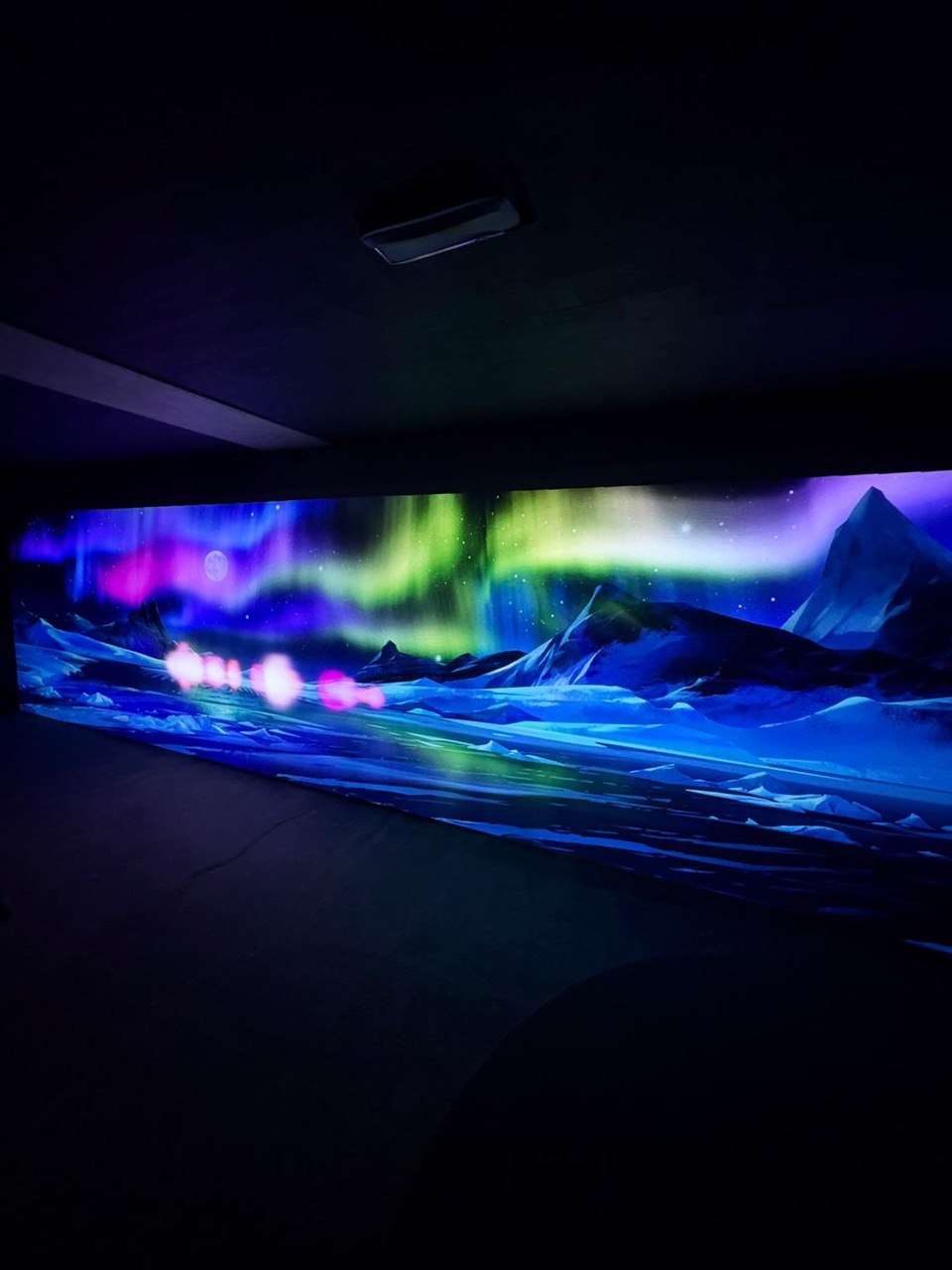
10. Create Immersive Learning Environments
Individual products can create interactive activities, but digital technology can also transform an entire environment.
Projection mapping allows digital content to be projected across walls, floors, objects and other physical surfaces.
This creates possibilities for immersive educational environments.
Imagine entering:
- An underwater ecosystem
- A rainforest
- Space
- A prehistoric landscape
- A historical city
- An Arctic environment
- A virtual art gallery
Instead of describing an environment exclusively through text and photographs, projection can surround children with visual content.
Interactive elements can then be added so learners can influence what happens within the space.
This can be particularly useful for learning centres, museums, schools and themed educational environments looking to create memorable digital experiences.
How Can Interactive Technology Support Learning Through Play?
Play and learning do not need to be treated as opposites.
Interactive technology can create experiences in which children learn by:
Exploring: discovering what happens when they interact with the environment.
Experimenting: changing objects or actions and observing the response.
Creating: producing drawings, designs or digital content.
Moving: using physical movement to complete challenges.
Collaborating: participating with classmates or friends.
Problem-solving: making decisions to progress through activities.
Repeating: trying an activity again to improve the result.
The technology itself should not be the learning objective.
Instead, it should provide another way for children to engage with an activity or subject.
Different Interactive Products for Different Learning Styles
There is no single interactive product that will suit every child or every activity.
A varied educational environment can offer several types of participation.
For creative activities
Consider:
These products place creativity and personal expression at the centre of the experience.
For tactile and exploratory activities
Consider:
Children can physically manipulate sand and observe how the digital environment responds.
For collaborative learning
Consider:
These installations can allow several children to participate around the same experience.
For active learning
Consider:
These systems place physical movement at the centre of interaction.
What About Interactive Slides and Swings?
Educational spaces with larger indoor activity areas can also incorporate technology into familiar play equipment.
An Interactive Digital Slide combines a physical slide with projected digital effects.
An Interactive Digital Swing similarly connects physical swinging with an immersive visual environment.
These products may be particularly relevant for:
- Children's learning centres
- Indoor activity centres
- Educational play spaces
- Family learning attractions
The advantage is familiarity.
Children already understand how to use a slide or swing, so the digital layer adds a new experience without requiring a complicated interface.
Can Competitive Games Have a Place in Educational Environments?
Not every activity needs to be directly curriculum based.
Breakout areas and multi-purpose educational spaces may also benefit from social and recreational technology.
Augmented Reality Air Hockey combines traditional air hockey with digitally projected gameplay.
Competitive activities can provide opportunities for:
- Social interaction
- Reaction skills
- Hand-eye coordination
- Friendly competition
- Turn-taking
For schools or educational facilities developing broader recreational spaces, interactive entertainment can complement more directly academic technologies.
How Can Schools Choose the Right Interactive Technology?
Before investing in interactive educational equipment, consider the intended use.
Ask:
- What age group will use the technology?
- How many children should participate simultaneously?
- Is the objective learning, creativity, physical activity or a combination?
- How much floor or wall space is available?
- Does the installation need customised content?
- Will teachers or staff need to change activities regularly?
- Is the system suitable for frequent daily use?
- What equipment and maintenance will be required?
Technology should fit the learning space rather than dominating it.
A touch table may suit a smaller collaborative area, while a large interactive floor may work better in a multi-purpose room.
A sandbox may support exploratory activities, while movement-based systems may be more appropriate for active zones.
Customise Interactive Content Around Learning Goals
Ready-made games can provide immediate activities, but some educational projects require content built around a specific subject.
Interactive365 provides interactive content creation for projects requiring customised digital experiences.
Educational content could potentially incorporate:
- Numbers
- Letters
- Languages
- Animals
- Geography
- Historical themes
- Nature
- Science
- School branding
- Custom characters
- Quizzes
- Bespoke challenges
This allows an installation to connect more closely with the intended learning experience instead of functioning only as general entertainment.
Plan the Physical Space Around the Technology
Interactive learning environments also require practical planning.
Depending on the product, considerations can include:
- Available floor space
- Ceiling height
- Lighting
- Power supply
- Projector positioning
- Internet connectivity
- Sensor placement
- Safe movement areas
- Accessibility
- Furniture
- Number of users
- Staff supervision
Interactive365 provides interactive equipment installation and maintenance for projectors, sensors, touchscreens, computers and interactive systems.
Planning these requirements early can help integrate technology more naturally into the educational environment.
Frequently Asked Questions
What is interactive learning technology?
Interactive learning technology is digital equipment or software that responds to a learner's actions. Interaction can happen through touch, movement, drawing, gestures, physical objects or other forms of participation.
How can interactive technology make learning more engaging?
Interactive technology can allow children to participate rather than only observe. Activities may involve movement, collaboration, creativity, experimentation and problem-solving.
What interactive technology is suitable for schools?
Options include interactive floors, touch tables, augmented reality sandboxes, Digital Sketch, interactive painting walls and movement-based interactive systems.
Can interactive technology encourage physical activity?
Yes. Interactive floors, climbing walls, Ball Strike Walls, Jumplings and iWall use physical movement as part of the digital experience.
What technology can be used for collaborative learning?
Interactive touch tables and large interactive floor systems can support activities involving multiple participants.
Can interactive educational content be customised?
Yes. Interactive digital content can be developed around specific themes, characters, subjects, games or learning objectives.
Can interactive technology be used outside the classroom?
Yes. Interactive equipment can be installed in activity rooms, libraries, learning centres, museums, indoor play spaces and other educational environments.
Does interactive learning technology replace teachers?
No. Interactive technology is a tool that can complement existing teaching, activities and learning environments. Educators still determine how and when the technology supports the learning objective.
Can several interactive products be used in the same learning space?
Yes. Combining creative, tactile, collaborative and physical experiences can create a varied interactive learning environment.
Make Digital Learning More Active
Interactive technology does not have to mean giving every child another personal screen.
It can mean creating digital experiences that encourage children to stand up, communicate, build, draw, explore and move.
A floor can become a game.
Sand can become a changing landscape.
A drawing can become an animated character.
A wall can become a physical challenge.
A classroom or activity room can become an immersive digital environment.
The most effective interactive learning technology is not necessarily the system with the most complicated features. It is technology that gives children a clear and enjoyable reason to participate.
Explore Interactive365's complete range of interactive learning and entertainment products, discover its interactive content creation services, or contact Interactive365 to discuss an interactive learning project.